
 Skip to main content


Protecting critical Linux services from tampering is a challenge that goes beyond basic system management, especially if you need to ensure that even root cannot disrupt vital daemons. This level of protection is especially relevant for organizations handling sensitive data, running high-availability services, or operating in regulated industries where system integrity is non-negotiable.
In this article, we explore advanced access control techniques provided by Security-Enhanced Linux (SELinux). Our security experts will walk you through configuring a custom SELinux module designed to safeguard daemons.
This guide will be useful for security professionals looking into the nuances of SELinux policy implementation.
Contents:
- Why restrict access to Linux daemons?
- Configuring the access policy
- 1. Creating undying_domain
- 2. Generating a policy with Utility
- 3. Merging source rules with target rules
- 4. Checking the policy for excessive rules
- 5. Debugging possible issues
- Demonstrating the policy
- How can Apriorit help you improve Linux security?
- Conclusion
Why restrict access to Linux daemons?
In Linux, daemons are processes that run in the system background. Among other things, they are responsible for hardware and network activity, logging, authentication, and database interactions. Because they run continuously and have direct access to sensitive resources, daemons are high-value targets for attackers and an easy entry point to disrupt system and business operations.
Restricting access to and privileges of daemons is strategic for Linux security. In our previous article, we showed how to restrict file access for Linux processes with SELinux policies and build a sandbox where even a root user can’t perform actions without explicit SELinux policy permissions. That approach helps manage process privileges and narrow the attack surface in case an attacker gains access to processes.
In this article, we examine how to prohibit any user, even one with root access, from interfering with a specific process, such as a systemd unit. This approach supplements the steps we discussed in the previous article and helps you improve Linux security even further.
Here are several reasons to restrict access to Linux processes:
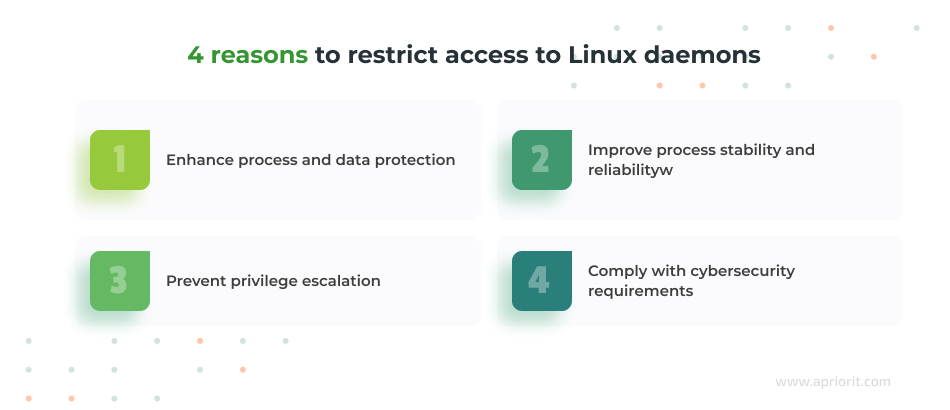
- Enhance process and data protection. Daemons often manage sensitive data flows like authentication, financial transactions, or log storage. Preventing unauthorized interference helps safeguard data integrity and confidentiality.
- Improve process stability and reliability. If processes can be killed, traced, or modified by anyone with sufficient privileges, software becomes less predictable and harder to debug or scale. And if a critical daemon is interrupted, entire services may go offline. Restricting access ensures that core processes continue running without disruption.
- Prevent privilege escalation. Once an attacker gains root access, they can typically stop, modify, or hijack daemons at will. If a critical service like SSH, a payment processor, or a logging agent is compromised, attackers can gain persistent control or erase traces of their activities.
- Comply with cybersecurity requirements. Strong isolation controls allow companies to secure data from unauthorized access and demonstrate compliance to their clients and auditors. This can prevent cybersecurity incidents and improve trustworthiness.
Restricting access to daemons requires a deep understanding of Linux and SELinux. In the next section, we’ll create a policy and a daemon for our sample project.
Watch webinar
SELinux: Basics and Practical Sandboxing with Type Enforcement
Learn to use the full potential of SELinux for building secure environments in this webinar with Apriorit’s Head of Linux Engineering.
Configuring the access policy
Let’s start by creating the target custom SELinux policy. We’ll call it “undying” and try to stop it with the kill command.
To do that, we need a custom daemon type that defines permissions, attributes, and interactions with other domains in the system. To create a daemon, we need to:
- Define a simple domain and the rules for it.
- Create a domain type that describes interactions with all other SELinux types in the system.
First, we’ll use a predefined system domain interface for the init interface, located in /usr/share/selinux/devel/include/system/init.if. We need several macros from this interface to reuse later. Here’s how the final undying.if file looks:
```
$ cat undying.if
interface(undying_domtrans', gen_require(` type undyingd_t, undying_exec_t; ')
corecmd_search_bin($1)
domtrans_pattern($1, undying_exec_t, undyingd_t)	')
#####################################
Make the specified type domain-like.
Make the specified type usable as a domain.
This interface has the same behavior as domain_type() but uses custom attribute instead of domain attribute.
That allows for more fine-grained permissions control.
Related interfaces:
domain_type()
application_domain()
init_daemon_domain()
``` Next, we will define an interface to be used as a domain-like type:
```
interface(undying_domain_type', gen_require(` attribute undying_domain; ')
typeattribute $1 undying_domain;
corenet_all_recvfrom_unlabeled($1)	')
#####################################
Create a domain-like type for long-running processes (daemons/services) started by init scripts.
This interface behaves the same as init_daemon_domain(), only it replaces the domain attribute with undying_domain.
Type to be used as a daemon domain.
```Finally, let’s define the type of program to be used as an entry point to this domain:
```
interface(init_daemon_undying_domain', gen_require(` attribute direct_run_init, direct_init, direct_init_entry; type init_t; role system_r; attribute daemon; attribute initrc_transition_domain; attribute initrc_domain; ')
typeattribute $1 daemon;
typeattribute $2 direct_init_entry;
undying_domain_type($1)
domain_entry_file($1, $2)
type_transition initrc_domain $2:process $1;
ifdef(`direct_sysadm_daemon', `type_transition direct_run_init $2:process $1;
typeattribute $1 direct_init;')	 ')
```The undying.fc file will contain a single line — the path to our binary copied from the regular /bin folder:
$ cat undying.fc
/home/sboy/udying_daemon/bash —
gen_context(system_u:object_r:undying_exec_t,s0)Finally, let’s define rules for our daemon in the type enforcement file (undying.te):
``` policy_module(undying, 1.0)
require {
type auditd_log_t;
type etc_t;
type unconfined_t;
type unconfined_service_t;
type init_t;
type initrc_t;
type semanage_t;
type systemd_unit_file_t;
type setroubleshootd_t;
type unlabeled_t;
type kernel_t;
type rpm_script_t;
attribute domain;
attribute file_type;
role system_r;
role unconfined_r;
class file { open read write map getattr relabelfrom relabelto append unlink rename ioctl create watch_mount watch_with_perm lock };
class lnk_file { open read getattr relabelfrom relabelto };
class dir { rw_dir_perms getattr relabelfrom relabelto create rmdir watch_mount watch_with_perm };
class process { execheap execmem fork };
class service { status start stop };
class capability2 mac_admin;
class blk_file { append audit_access create execmod execute getattr ioctl link lock map mounton open quotaon read relabelfrom relabelto rename setattr unlink watch write };
class chr_file { append audit_access create execute getattr ioctl link lock map mounton open quotaon read relabelfrom relabelto rename setattr unlink watch write };
class dir { add_name append audit_access create execmod execute getattr ioctl link lock map mounton open quotaon read relabelfrom relabelto remove_name rename reparent rmdir search setattr unlink watch write };
class fifo_file { append audit_access create execmod execute getattr ioctl link lock map mounton open quotaon read relabelfrom relabelto rename setattr unlink watch write };
class file { append audit_access create execmod execute execute_no_trans getattr ioctl link lock map mounton open quotaon read relabelfrom relabelto rename setattr unlink watch write };
class filesystem { associate getattr mount quotaget quotamod relabelfrom relabelto remount unmount watch };
class lnk_file { append audit_access create execmod execute getattr ioctl link lock map mounton open quotaon read relabelfrom relabelto rename setattr unlink watch write };
class sock_file { append audit_access create execmod execute getattr ioctl link lock map mounton open quotaon read relabelfrom relabelto rename setattr unlink watch write };
}
type undyingd_t;
type undying_exec_t;
init_daemon_undying_domain(undyingd_t, undying_exec_t)
type undying_bin_t;
fs_associate(undying_bin_t)
fs_associate_hugetlbfs(undying_bin_t)
unconfined_domain_noaudit(undyingd_t)
role system_r types undyingd_t;
role unconfined_r types undyingd_t;
allow undyingd_t self:process { execheap execmem };
allow undyingd_t self:lnk_file { open read getattr };
allow undyingd_t self:capability2 mac_admin;
allow undyingd_t etc_t:dir search_dir_perms;
allow undyingd_t auditd_log_t:file { open read };
allow undyingd_t systemd_unit_file_t:lnk_file { open read getattr relabelfrom relabelto };
allow undyingd_t undying_bin_t:file { append audit_access create getattr ioctl link lock map mounton open quotaon read relabelfrom relabelto rename setattr unlink watch write execute };
allow undyingd_t undying_bin_t:lnk_file { append audit_access create getattr ioctl link lock map mounton open quotaon read relabelfrom relabelto rename setattr watch write unlink execute };
allow domain undying_bin_t:file { getattr open read map execute execute_no_trans };
allow domain undying_bin_t:lnk_file { getattr open read map execute };
bool undying_protection_disabled false;
if (undying_protection_disabled) {
allow domain undying_bin_t:file { append audit_access create ioctl link lock mounton quotaon relabelfrom relabelto rename setattr watch write unlink };
allow domain undying_bin_t:lnk_file { append audit_access create ioctl link lock mounton quotaon relabelfrom relabelto rename setattr watch write unlink };
}
allow undyingd_t file_type:dir { watch_mount watch_with_perm };
allow undyingd_t file_type:file { watch_mount watch_with_perm };
allow undyingd_t unlabeled_t:dir { watch_mount watch_with_perm };
allow undyingd_t unlabeled_t:file { watch_mount watch_with_perm };
allow kernel_t undyingd_t:lnk_file { watch_mount watch_with_perm };
allow kernel_t undyingd_t:file { watch_mount watch_with_perm };
allow undyingd_t self:process fork;
allow undyingd_t self:process { getattr setpgid };
undying_domtrans(unconfined_t)
```Our type enforcement file is ready. It won’t install yet, however, since we haven’t created a policy that defines an undying_domain attribute for our custom undyingd_t domain. Let’s do that next.
Read also
Monitoring Processes in User Mode with the Linux Audit Daemon
Unlock efficient Linux system management by implementing process monitoring. We share practical techniques that help detect anomalies, balance workloads, and sustain system health in demanding environments.

1. Creating undying_domain
In this section, we’ll detail the information we need to gather from the system to create an effective undying_domain policy.
First, we need to collect domain and daemon type rules. To do that, we execute commands to search for all applicable rules for a given domain and daemon type:
$ sesearch --allow --allowxperm --auditallow --auditallowxperm --neverallow --neverallowxperm -dt -t domain > target_rules
$ sesearch --allow --allowxperm --auditallow --auditallowxperm --neverallow --neverallowxperm -dt -t daemon >> target_rulesThen we extract source rules:
$ sesearch --allow --allowxperm --auditallow --auditallowxperm --neverallow --neverallowxperm -ds -s domain > source_rules
$ sesearch --allow --allowxperm --auditallow --auditallowxperm --neverallow --neverallowxperm -ds -s daemon >> source_rulesThese commands generate comprehensive lists of rules that apply to the general domain and daemon types, both as targets and sources. We’ll use this information as the foundation for generating and adjusting SELinux policies.
2. Generating a policy with Utility
To generate SELinux rules with the information we’ve gathered, we’ll use segen. This utility analyzes existing policies and types, helping us create a framework for our new policy. It can automate the extraction and compilation of SELinux rules, simplifying the creation of custom policies tailored to specific needs. Feel free to reach out to us to get the source code of this utility.
$ cat source_rules | ./segen domain > source.te
$ cat target_rules | ./segen -f > target.teWe need to customize new files for our custom domain. In source.te, we will replace allow domain with allow undying_domain. In target.te, we will delete type domain from the require section and replace all domain instances with undying_domain.
3. Merging source rules with target rules
To create custom rules, we need to copy all types, classes, and attributes from the require section in source.te and target.te files to a separate file. We’ll then delete all duplicates and sort information in this file with the uniq and sort functions:
$ cat require.txt | uniq | sort > require_sorted.txt After this, we place all class definitions after type definitions to make the file convenient to use.
Then, we copy the data from require_sorted.txt to the require sections of the new undying_domain.te file like this:
policy_module(undying_domain, 1.0)
require {
type acpid_t;
type apt_t;
type auditadm_t;
....
class xdp_socket { getattr getopt ioctl read setopt write };
}Now, we will go through the require section and check for class duplications. For example, here’s a piece of code we can improve:
class file { append getattr ioctl lock open read write };
class file { execmod execute getattr ioctl lock map open read };We can merge it to get this result:
class file { append execmod execute getattr ioctl lock open read write };When this is done, we’ll add the following rules after the require section:
attribute undying_domain;

neverallow undying_domain ~{ domain undying_domain }:process { transition dyntransition };
neverallow undying _domain self:memprotect mmap_zero;
neverallow undying _domain self:process setcurrent;
neverallow undying _domain self:capability2 mac_override;

allow undying _domain domain:fd use;
allow undying _domain domain:key { link search };Finally, we can add the rest of the rules in the source.te and target.te files after the require section.
4. Checking the policy for excessive rules
After the merge, our policy may have rules we don’t need. Let’s get rid of them.
First, let’s delete all rules for ptrace, a system call that allows a process to observe and control another process. With the rules deleted, processes can’t use this call to gain control.
Next, let’s go through all rules and remove sigkill (process termination) and sigstop (process pause) for all except init_t, initrc_t, watchdog_t, or similar domain types on other systems.
Also, we should remove rules for reading and modifying files or dirs for unconfined types.
5. Debugging possible issues
Now, we have two sets of type enforcement files. Let’s build the first one, undying_domain.te, by executing this command:
$ make -f /usr/share/selinux/devel/Makefile undying_domain.ppThen, we can insert semodule into the system. This tool helps manage SELinux policy modules. Here’s the command:
$ sudo semodule –i undying_domain.ppIn some cases, this command can result in an error like this:
Failed to resolve typeattributeset statement at
/var/lib/selinux/targeted/tmp/modules/400/undying/cil:23
Failed to resolve AST
semodule: Failed!To fix it, we can use bzip2 to decompress the mentioned file and review the line with the issue:
sudo bzip2 -d /var/lib/selinux/targeted/tmp/modules/400/undying/cilWith this, our policy is complete, and we can install it. If some type, class, or value is missing, double-check that you replaced the text correctly.
Related project
Developing a Custom Secrets Management Desktop Application for Secure Password Sharing and Storage
Explore how Apriorit developed a custom desktop solution for secure secrets management. Our team helped the client safeguard sensitive data, ensure compliance, and improve operational efficiency with a reliable, cross-platform tool.

Demonstrating the policy
Let’s start the installation with the undying_domain.te file, as it creates a completely new undying_domain that specifies interaction with other SELinux types.
$ make -f /usr/share/selinux/devel/Makefile undying_domain.pp
$ sudo semodule –i undying_domain.ppAfter that, we can build our custom module that defines allowed rules for our binary file. In our example, it’s a simple bash script:
$ make -f /usr/share/selinux/devel/Makefile undying_domain.pp
$ sudo semodule –i undying_domain.ppOnce the policies are installed, we’ll fix the SELinux context for our bash:
$ sudo restorecon /home/sboy/undying_daemon/bashThen, we can run it:
$ /home/sboy/undying_daemon/bashNow, this shell is our bash. Let’s switch to one more terminal or SSH session and check the process. We can watch its SELinux context or kill it:
$ sudo ps auxZ | grep bash

unconfined_u:unconfined_r:unconfined_t:s0-s0:c0.c1023 sboy 2224 0.0 0.2 224752 5136 pts/0 Ss Jun06 0:00 -bash
unconfined_u:unconfined_r:unconfined_t:s0-s0:c0.c1023 sboy 4940 0.0 0.2 224360 4248 pts/1 Ss Jun06 0:00 -bash
HERE it is >>>                 	sboy   	10329  0.0  0.3 224112  5628 pts/0	S+   13:24   0:00 /home/sboy/undying_daemon/bash

unconfined_u:unconfined_r:unconfined_t:s0-s0:c0.c1023 sboy 10368 0.0 0.1 221796 2220 pts/1 S+ 13:26 0:00 grep --color=auto bashThe ps command cannot access the context of this file because we didn’t give it permission. Let’s try to kill that PID:
$ sudo kill –9 10329
kill: sending signal to 10329 failed: Permission deniedWe can see if we were successful by checking the audit logs:
type=AVC msg=audit(1749490225.092:1418): avc: denied { sigkill } for pid=10432 comm="kill" scontext=unconfined_u:unconfined_r:unconfined_t:s0-s0:c0.c1023 tcontext=unconfined_u:unconfined_r:undyingd_t:s0-s0:c0.c1023 tclass=process permissive=0As you can see, our attempt to kill the process was denied. We can use various other methods to stop or kill it and create additional rules for our SELinux security policy to prevent those attempts, but the logic will be the same.
How can Apriorit help you improve Linux security?
Apriorit has over 20 years of experience building high-security environments and improving the protection mechanisms of existing products. Our experts have delivered a variety of cybersecurity projects, from a user activity monitoring solution to a custom MDM system. We specialize in system-level development and data security, helping our clients build resilient products.
Here’s how we can help you build a secure Linux product:
- Security-first mindset. We use secure SDLC principles in any development project and follow security standards like ISO 27001. Our teams ensure that your product is protected at each development stage.
- Niche expertise. We have dedicated teams for kernel development, reverse engineering, cybersecurity development, and other highly specialized domains. This helps us look at each project from different angles and find the best development approach.
- Proven track record of Linux and cybersecurity projects. We disclose the details of our projects (when not protected by NDA) to show how we work. Our clients highly appreciate Apriorit’s input.
- Deadline-driven processes. We have well-established development and delivery processes that let us adjust to your workflow and proactively address any issues.
With the right combination of development and project management skills, Apriorit’s dedicated teams can tackle projects of any complexity.
Conclusion
Enhancing system security with custom SELinux policies provides a powerful mechanism for protecting critical software and applications. From antivirus software to custom daemons, the described approach ensures that sensitive systems remain operational and secure, even when faced with threats from root-level abuse or compromised processes.
At Apriorit, we take a security-first approach to building any system or application. With over 20 years of experience in cybersecurity and system development, we can implement security mechanisms of any difficulty that will suit your particular project.
Secure your software with a trusted partner!
Let us build unbreakable defences for your product and data.
FAQ
What is SELinux, and why is it important for securing Linux systems?
SELinux is a Linux kernel security module that enforces mandatory access control. It confines processes and limits what users and applications can do, even with root privileges. By enforcing fine-grained rules on files, processes, and resources, SELinux reduces the risk of privilege escalation, process hijacking, and system compromise.
What is the difference between discretionary access control (DAC) and mandatory access control (MAC) in SELinux?
<p>DAC relies on file and resource ownership: users can grant or deny access at their discretion. MAC, enforced by SELinux, applies system-wide policies that override user permissions, ensuring no process or user, even root, can bypass rules.</p>
<p>MAC provides stronger, centralized, and enforceable access control.</p>
What are real-world scenarios where protecting a daemon with SELinux is valuable?
SELinux protection is critical for systems running web servers, databases, authentication services, and logging/monitoring agents. By enforcing strict access rules, you can prevent attackers or misconfigured admins from stopping, modifying, or hijacking daemons. This ensures uptime, data integrity, and security for production applications, financial systems, and compliance-sensitive services.
How does daemon hardening support compliance (e.g., with PCI DSS, HIPAA, and ISO 27001)?
SELinux-enforced daemon protection ensures critical services run as intended, prevents unauthorized access or tampering, and generates audit logs. This helps demonstrate process integrity, reduces the risk of data breaches, and helps meet regulatory requirements for access control, process isolation, and operational accountability.



